The old way of automating is at a standstill. Enterprises are dealing with an average of 660 SaaS applications, which are spread across various tools, siloed data and external dependencies. Despite investments in specialized tools, employees must still make their own mediations between solutions, impacting productivity, cross-team collaboration, and employee morale.
This was practically a foregone conclusion. Over the years many companies have found themselves with a large box of point solutions instead of a good base to build on as they seek to scale.
Uncontrolled tech stacks hinder productivity and erode employees’ autonomy, which is growing in significance for businesses now days. When team members have to move between tools to complete workflows from start to finish, it leads to difficulties.
While some, such as RPA, low-code platforms, and rule-based workflows offer some degree of self-service, they fall short once the workflow extends beyond systems or requires context they were not designed to deal with.
Hence, AI workflow automation solutions that enable end-to-end resolution are becoming a key focus for enterprises as they look to invest in this emerging technology.
What is AI Workflow Automation?
AI workflow automation relies on AI technologies, such as machine learning and large language models (LLMs), that streamline business processes by eliminating the need for human reasoning and decision-making.
Traditional automation is inflexible to today’s requirements – it is rules-based, so it cannot react to new situations, and it fails with unstructured data, context and anything beyond what it is explicitly programmed for.
Agentic execution can take it a step further; it can interpret unstructured data, such as emails or documents, and adapt to new inputs, all while helping to reduce time-consuming tasks such as access provisioning, employee onboarding, and cross-system approvals.
Think of what happens every time an HR team has a new employee.Imagine what happens each time the HR team gets a new employee. In the past, a recruitment specialist has to update the applicant tracking system (ATS), send an email to the IT department to get equipment, and also establish an employee record, among many repetitive tasks.
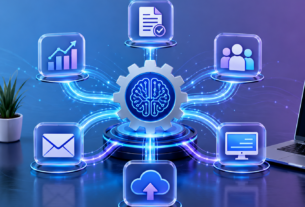
The same process can be automated with AI and feed a candidate’s information into your applicant tracking system (ATS), set up their gear, and begin a new employee record in your human resource information systems (HRIS). AI workflow automation can serve as the orchestration layer that links your systems, tools, and processes together, to move work through to the end.
How AI Workflow Automation Works
AI workflow automation doesn’t run on a single technology. It works comprehensively due to its range of capabilities that come together to power it.
These core technologies are at the heart of effective workflow automation.
Natural language processing (NLP) is the process of dividing human language into smaller segments and using them for algorithms that interpret the syntax and semantic meaning of human language. Machine learning then gets better as it learns to recognize and analyze patterns in those inputs, like emails, contracts, and queries.
Whether it’s extracting and enriching data or logging in to multiple systems, it’s execution that RPA does. All these capabilities come together in the Analytics that provide visibility in cycle times, error sources and workflows that need human intervention.
In simpler terms:
- NLP is a way of understanding the input.
- ML determines the correct way to proceed
- RPA does the work
- Analytics gives you information on how it’s performing.
All these capabilities combine for an execution chain that can facilitate intent-driven reasoning and end-to-end workflows.
The Part of Agentic AI
Agentic AI is designed to be self-sufficient. These systems reason, plan and take multi-step actions across departments and tools. AI agents serve as an orchestration layer, helping to streamline the cross-functional decision-making and approvals process that can be hampered by siloed point solutions.
As businesses try to stay flexible in today’s environment, agents can adapt AI-powered workflows to new or changing policies and other real-time conditions. These systems can help provide end-to-end approvals, exception management and branching logic to address human context.
Common Problems With AI Workflow Automation and How to Overcome Them
AI workflow automation has its practical challenges. While it is possible to see the value, it requires the proper base in order to benefit from it. Here are a couple of best practices to get ready with:
Organizational readiness: Change management efforts always need to be built on trust. You need to know what AI agents are working on to meet your business requirements, and you’ll need answers to questions such as: “How will my role change with advanced automation?,” “How will some tasks be easier?,” and “Where can I keep up with things?”. Transparency helps enable long-term uptake.
Technical complexity: If the data is not of high quality, and the systems are not integrated well, then AI workflow automation will not reach its true potential. A lack of data quality, integration issues, and dependency on systems make automation more challenging. A good strategy is to work on workflows that have the most data first, and then expand as your infrastructure grows.
Governance challenges: Enterprise level governance is complex with “changing rules of the game” in the world and high-risk, disconnected systems. Without accessible policy or the behavior of AI, automation can increase risks instead of alleviating them, or give different results in different workflows.
In an agentic workflow, ensure that AI tools are used responsibly and under supervision.For agentic workflows, ensure that AI tools are used responsibly and supervised. AI can be prone to bias from training data, have a lack of human subtlety, and function without any “safety net” if there were no human-in-the-loop (HITL) checkpoints. Lack of checks and balances usually comes out in big problems at deployment time.
Assessing AI Solutions to Automation Workflows
Incorporating AI platforms for the sake of AI doesn’t mean it’s doing well. A demos well tool is not a value at enterprise scale tool. It is important to understand how tool sprawl can become a problem before discussing the criteria that should be used to assess a platform.
Why Tool Sprawl is Hindering AI Workflow Automation
A lot of businesses face challenges of data, tool and process fragmentation. If AI workflow tools are not connected to other systems, they eventually go stale. Without solutions that can communicate, they will have trouble coordinating large tasks and will eventually get stuck and require manual assistance.
A single orchestration layer lets organizations connect to any number of systems of record and orchestrate workflows more efficiently across teams. Instead of a collection of point solutions that must be maintained, governed, and monitored individually, shift towards infrastructure that’s scalable and designed for enterprise-wide execution across departments and systems.
The Key Features to Consider in an Enterprise AI Workflow Platform
If you’re considering platforms, you should look for the features that can help your team execute at the scale you require:
- Intent understanding: Does the platform understand the intent of a user?
- Connectivity: If the AI tool is in a new system, does it connect natively with your existing systems?
- Auditability – Is it possible to track every AI action and decision regarding “what”, “when” and “why”?
- Governance: Do their security and compliance protocols comply with your requirements?
- Time-to-value: How fast can workflows be brought to life and what is maintenance?
Read our agentic automation whitepaper to better understand the 4 core pillars that simplify AI agent development.
AI Workflow Automation in Action: Enterprise use cases
AI workflow automation is an enterprise-wide solution that aims to tackle the mundane tasks that are holding teams back. From HR to IT, sales to cross-functional processes, end-to-end automation can save teams a ton of time from manual tasks and enable them to concentrate on initiatives that will drive your company forward.
HR workflows
HR teams are amongst the most process-focused workflows in the enterprise, tasked with managing talent acquisition, employee onboarding and relations, compliance and policy development. A lot of these tasks cross tools, systems and departments – and AI workflow automation can make a difference.
Before
An HR expert usually takes care of all administrative tasks associated with an employee’s promotion. Upon confirmation from the executive team, they add this role change to the employee’s record in HRIS which will then roll out across all communication systems, company organizational charts, etc.
Shortly after, they inform payroll to update pay, update benefits eligibility, update system access with IT and inform direct manager.
After
An employee is promoted, and an AI agent can be activated and updated the employee’s record, which automatically updates their job title in all other relevant systems.
Once this is done, the AI agent can update access and permissions, adjust payroll and benefits to align with the new compensation plan, and notify the manager to plan for the next steps and follow configured approval and policy processes.
IT workflows
In most AI initiatives, the first results of IT workflows are often the most impressive. An AI system that can manage high volume, repetitive, and time-sensitive tasks can be beneficial in service fulfillment, incident response, and access provisioning.
Before
Between thousands of employees and hundreds of point solutions at any given enterprise, software access requests can quickly spiral. These requests go into a ticket queue to be worked on by an IT specialist who must triage the requests and distribute them to the appropriate teams for approval and provisioning, which can take days and cause delays for all teams.
After
Once a software request enters a queue, an AI agent can understand it, verify who has access and needs to approve it, and forward the request to the appropriate user. Upon approval, the agent can give access and alert the employee via connected enterprise systems.
Sales and revenue operations
There are significant hurdles to overcome, like manual CRM updates and lengthy approval workflows, that can prolong deals.Sales teams need to be fast, and there are a lot of obstacles to clear, like manual CRM updates or lengthy approval workflows. Automating workflows with AI can help to keep revenue operations running smoothly.
Before
A salesperson finalizes a month long transaction. She must update the CRM with the status change first and then contact the legal department to get their approval for the contract.
She then follows up on finance to start the invoicing process and informs the solutions engineer to begin the implementation process. Each handoff can be a potential time sink, impacting timelines and customer experience.
After
Once the deal is “closed/won”, an AI agent can add the next stage of the deal to the CRM, send the contract to legal for sign-off, and activate the invoicing process for finance.
After the administrative legwork, the AI agent can then reach out to the solutions engineer to coordinate the initial call for implementation, with the rep able to fulfill her next deal with more automation between teams.
Cross-functional workflows
Cross-functional workflows can exhaust enterprise companies, involving HR, IT, sales, and beyond. These traditional automation approaches reduce alignment that can be hard to create in the first place. AI automation can play a role in your business’s transition to unified orchestration, helping to minimise isolated workflows and promote collaboration between silos.
Before
One of the most challenging cross functional workflows in the enterprise is open enrollment. Typically, HR sends one-off messages to all staff members, records the responses on a spreadsheet and checks back with those who do not reply.
Deductions will not be updated in Finance until elections are completed in HR. Meanwhile, IT teams control the entry into the portal and compliance with data related to health care with little visibility prior to the closing of the sign-up window.
After
Open enrollment starts and an AI agent is activated to verify or offer access to the benefits portal to all eligible employees before the window opens. Next, it provides employees with guidance regarding their options based on role, location, and eligibility.
Once elections have been confirmed, the AI agent can automatically update payroll deductions, process sensitive healthcare data as per your set policies, confirm the elections to each employee, and keep it audit and workflow-visible across teams – in the days leading up to the deadline.
Transform the Way You Work and Automate Tasks at Enterprise Scale with Power AI
For a long time, businesses have been installing point solutions to address particular issues. These are a lot of people who have a lot of tools they can’t connect.
The outcome? requests languish between systems, handoffs fall short of momentum, and workflows drag on day after day.
Businesses can integrate their solutions with Moveworks through an agentic orchestration layer that can reason, plan and execute multi-step workflows from end to end, across enterprise systems that are connected. Employees can take actions and convert ideas into work, without having to stick to a set of triggers and workflow.
By offering a single “conversational” point of access to the work, the platform enables employees to ask, search and act on work in a single location, reducing handoffs, manual follow-ups and increasing completion rates for enterprise workflows.
Looking for an answer to software access or an updated policy? Moveworks is made to understand what you want to do and then to take the next steps to accomplish the task, using connected workflows and enterprise systems. You can have role based access, policy enforcement and approvals across workflows, whether you’re coordinating within your ITSM, HRIS, ERP or CRM or all of the above.
Moveworks is designed to integrate with your current systems, and in most cases, will not require you to replace your current tech stack. Fast deployment means your teams can avoid a significant implementation lift, impacting the ways that you currently work today.
Frequently Asked Questions
What is the difference between AI workflow automation and low/no code automation platforms?
Low code and no code platforms are centred on simplifying the development of pre-designed workflows, yet they are still reliant on static logic and manual oversight. AI workflow automation introduces reasoning, context awareness, and adaptability to workflows, enabling them to evolve dynamically based on intent, data, and real-world situations, beyond static workflows and rules alone.
How to manage and regulate agentic AI processes in large organizations?
To ensure agentic workflows are safe, the following clear boundaries must be established when accessing the system, approving, auditing, and using data: The kind of governance that is normally expected involves controlling access by users according to their roles on the system, enforcing policies, having “human-in-the-loop” controls for sensitive operations, and logging data in detail enough to track the actions of users throughout enterprise systems for compliance and accountability purposes.
What other metrics can measure ROI of AI workflow automation?
Although the number of manual tasks is a key indicator, many companies prefer faster time-to-resolution, better employee experience and lower operational risk. Other measures may include reduction in ticket backlogs, increase in tickets completed through self-service, and a more consistent workflow and region.
Does AI workflow automation play nice with systems outside the optimised-for-AI world?
Yes, but it is dependent on how well the automation platform is able to integrate with systems of record and on how well it will deal with the inconsistencies in data and APIs. Often, AI workflow automation serves as an orchestration layer, seamlessly integrating with existing tools and systems on the market without necessitating complete system replacements, minimizing disruption while providing the path to modernization.